Local AI Factory: Why VS Code + Continue + Ollama + Gemma 4 is the Right Architecture
Audio summary · ~1 min
Audio summary · Local AI Factory
VS Code plus Continue plus Ollama plus Gemma — the right local AI coding stack.
If you want a serious local AI coding setup today, the right answer is not to spend months rebuilding VS Code. The right answer is to separate the editor layer from the AI layer.
The Short Answer
Use VS Code as the editor, Continue as the coding agent surface, Ollama as the local runtime, and Gemma 4 as the reasoning model family. Use Docker for the support layer not as the first place you try to run everything.
Why this architecture wins
- You get a real IDE immediately instead of a half-built editor shell.
- You can upgrade models independently of the editor.
- You can keep the main inference path local and private.
- You can add Docker side services only when they become useful.
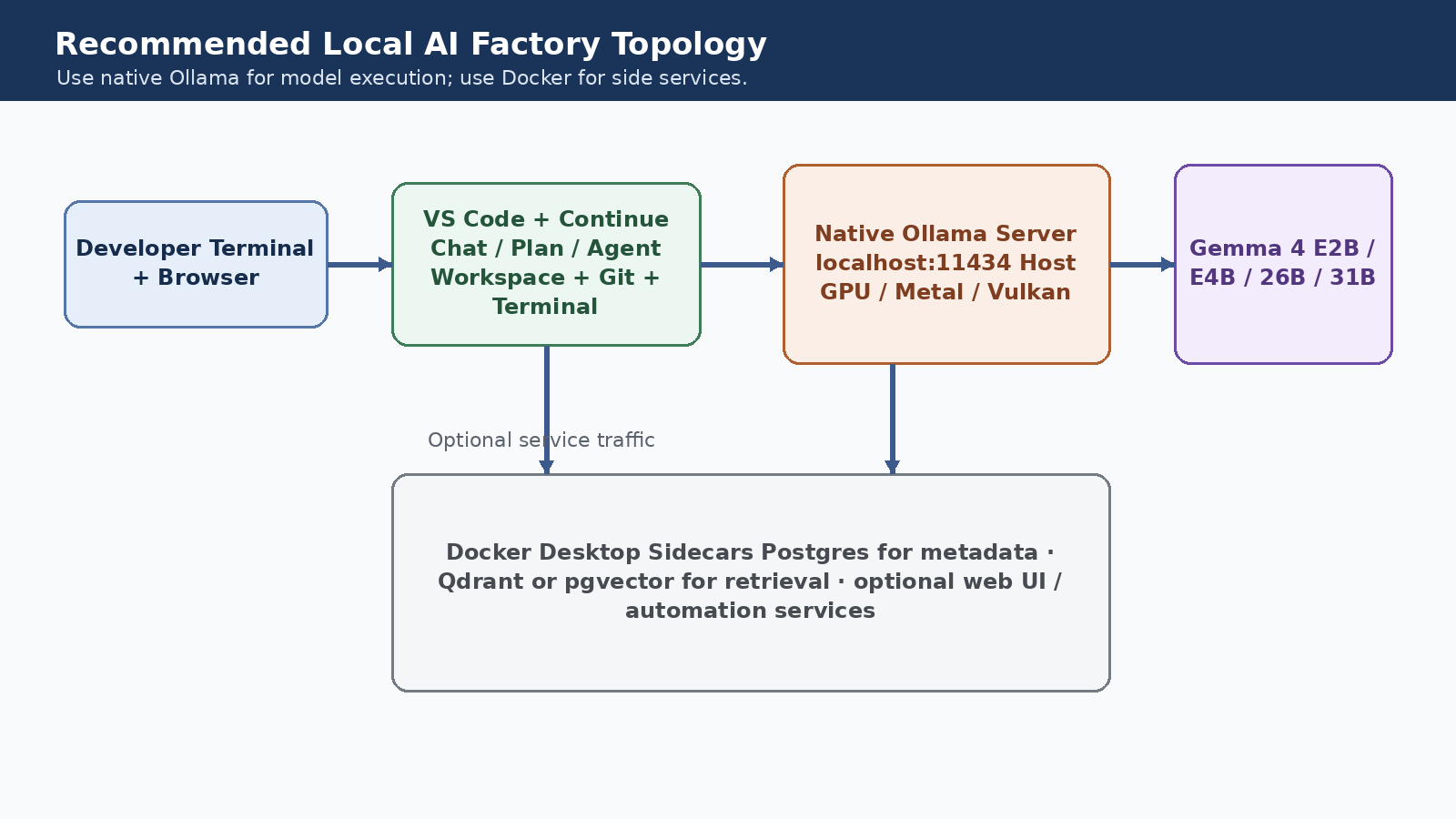
Recommended Local AI Factory Topology use native Ollama for model execution; use Docker for side services.
The clean split: editor, agent, model, service
Think of the system as four layers, each with a clear owner and a clear job.
Windows path
On Windows, the strongest first build is host-native VS Code, host-native Continue, host-native Ollama, and Docker Desktop with the WSL 2 backend for side services.
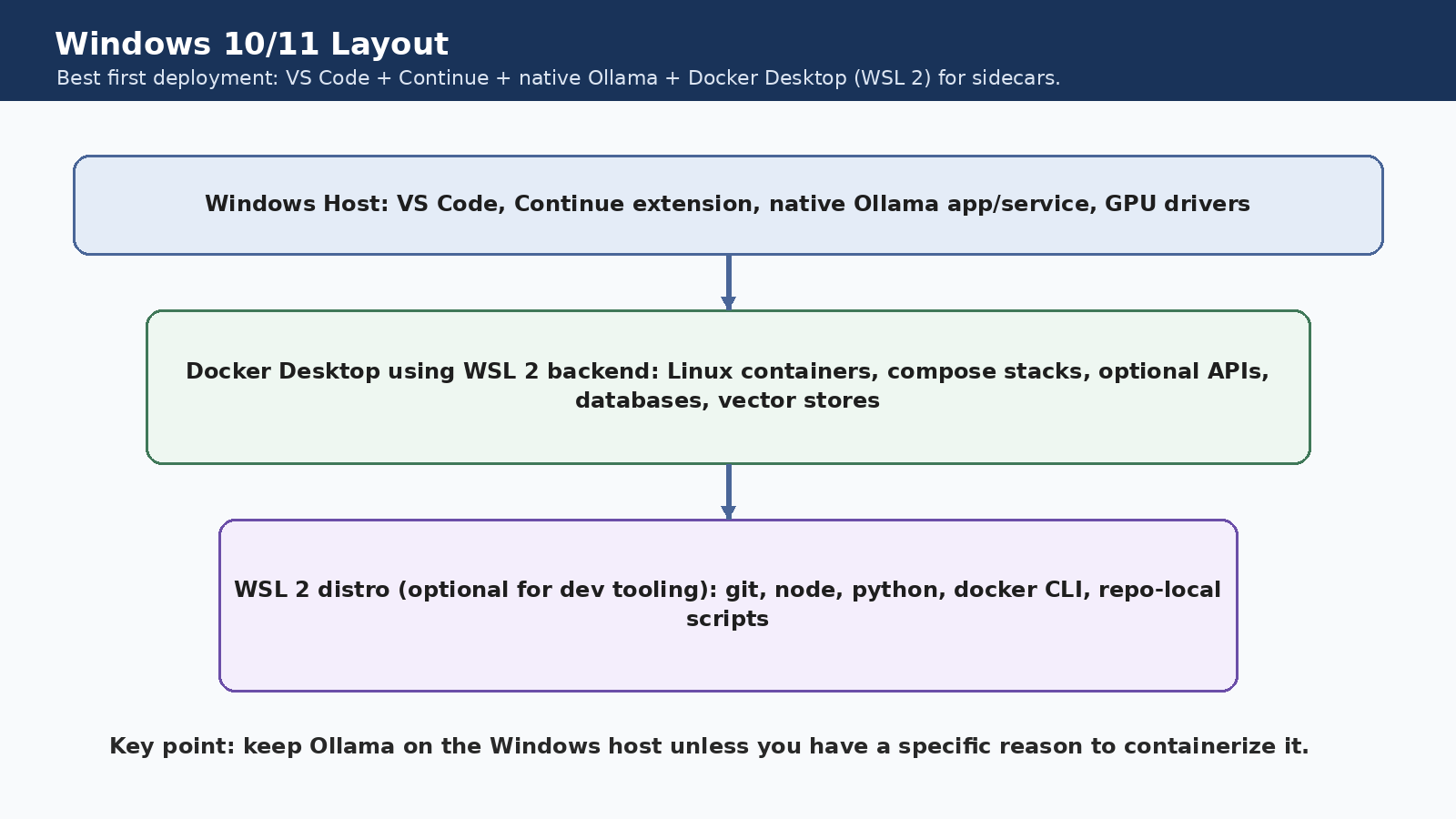
Why it works: Ollama already ships as a Windows app and exposes localhost:11434.
Why Docker still matters: WSL 2 containers are perfect for databases, vector stores, and automation services.
What not to do first: Do not bury the whole stack in containers before you even know your model and editor flow works.
Apple Silicon path
On Apple silicon, the recommendation is even cleaner. Run Ollama on the host so it can use Metal. Use Docker Desktop only for the side-service layer.
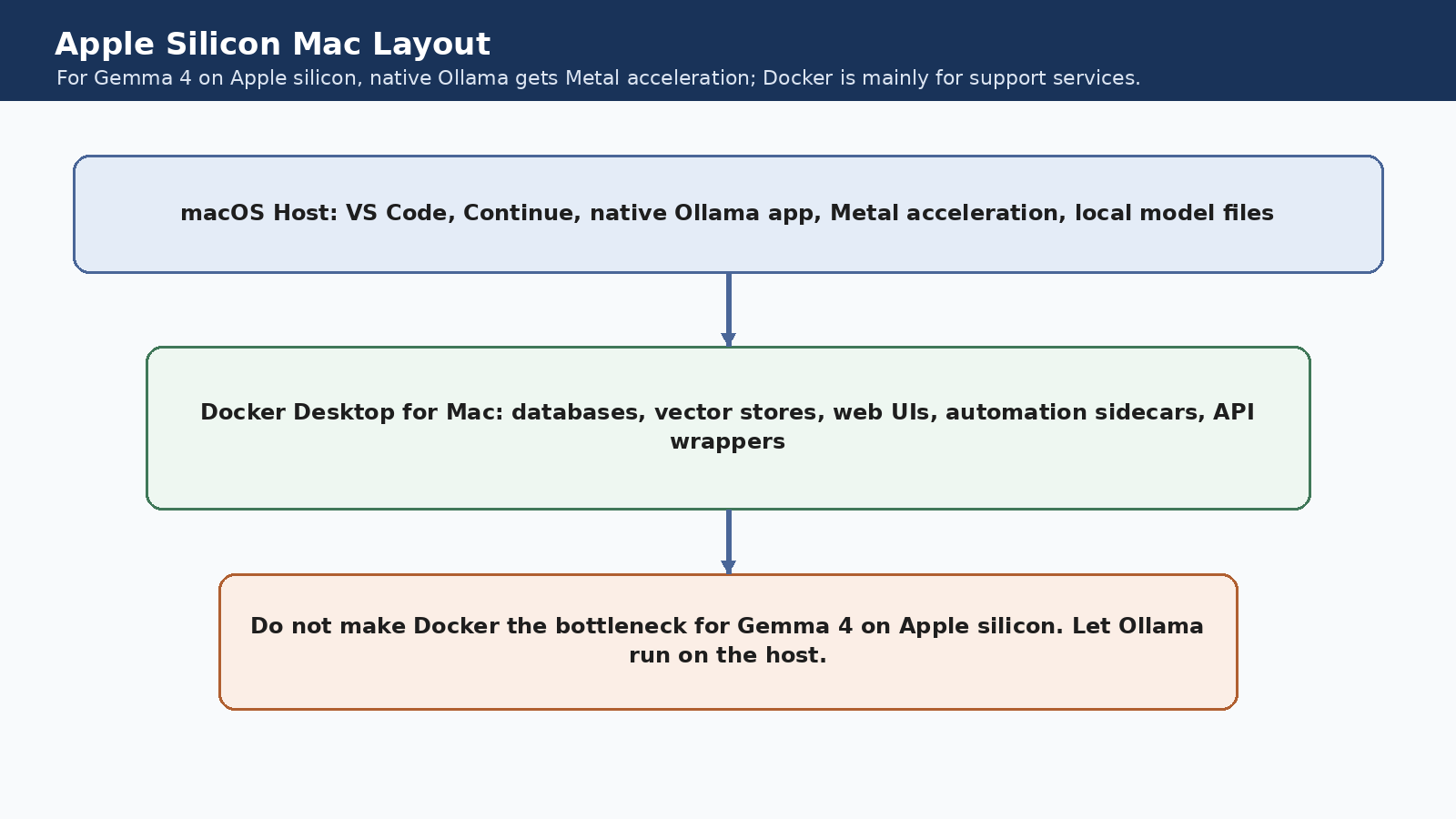
Why it works: Ollama's Apple acceleration path is native Metal, not a container trick.
What Docker is for on Mac: Postgres, Qdrant, web dashboards, automation tools, and isolated app services.
What not to do first: Do not convert an Apple silicon machine into a container maze and then wonder why Gemma feels slower.
Where Gemma 4 fits
Gemma 4 is not one single model. It is a family, and that matters because local success depends on picking the right size for the job.
Why not build your own IDE first?
Because building an AI coding product and building an IDE are not the same project. Monaco can give you an editor. It cannot instantly give you the whole workbench that makes VS Code feel complete.
The request flow in plain English
What happens when you ask the system to code:
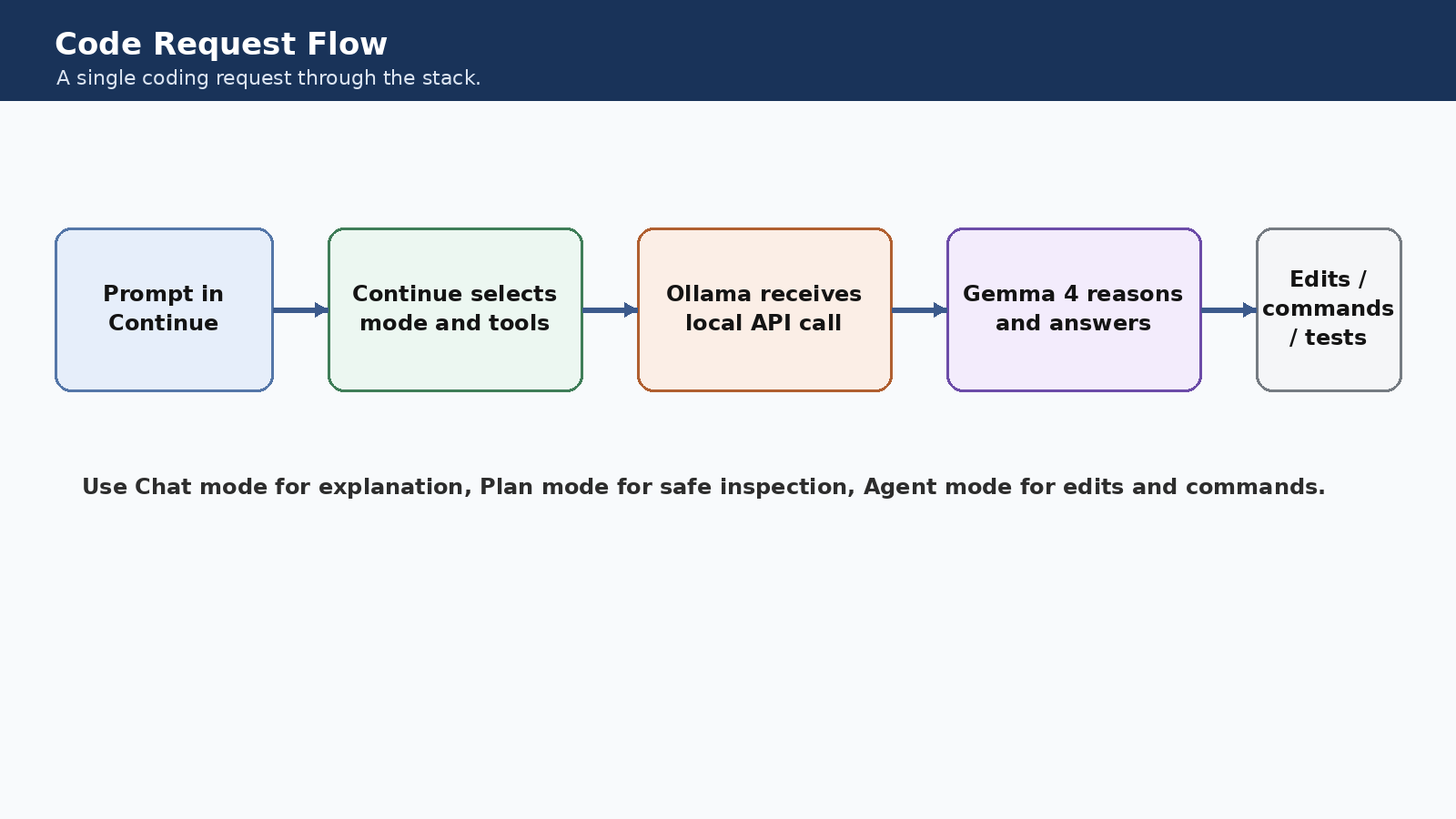
- You ask Continue for a change.
- Continue decides whether it should just answer, inspect, or act.
- It sends the request to Ollama.
- Ollama runs Gemma 4 locally.
- The answer comes back into the editor, and Agent mode can also propose edits or commands.
The smart Docker position
The recommendation is not anti-Docker. It is pro-separation of concerns. Docker should own the support layer, not necessarily the model runtime on Windows or Apple silicon.
A good phase one outcome
Success looks like a fully functional local developer loop without any cloud dependencies.
Closing Recommendation
If your goal is a local AI factory, the architecture to beat is simple: keep the editor proven, keep the model local, and keep Docker useful. That is how you get something productive quickly instead of ending up with a beautiful but unfinished custom IDE shell.
Sources
Checked April 2026
Pratik Khanapurkar
Co-founder, DestinPQ
Pratik builds AI-powered products for businesses across healthcare, hospitality, and professional services. He writes about practical AI adoption, real model costs, and what actually works in production.